
About Chess Clock & Scorepad
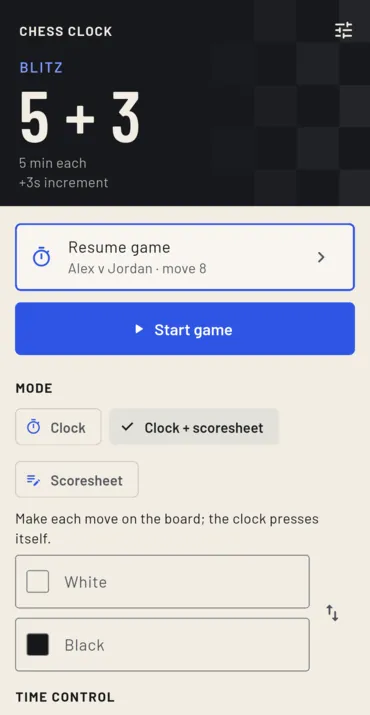
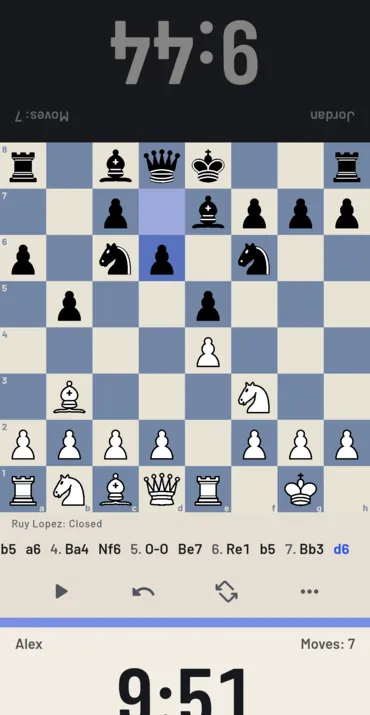
Chess Clock & Scorepad is a clock for over-the-board chess. Put the phone on the table between you, tap your side after each move, and the other clock starts. The press registers the moment a finger lands, the way a real clock answers a slap. There are fifteen ready time controls, from one-minute bullet through blitz and rapid to the FIDE 90/40 + 30 classical control. Fischer increment, Bronstein and US delay are each timed exactly, and there are multi-stage controls, a handicap for the stronger player, and up to twelve controls of your own saved by name.
It can also keep the scoresheet. Tap a piece, then its square: only legal moves can be made, and making one presses the clock for you. Each face shows the captured pieces and the material lead, and the opening is named as you play, from the public-domain lichess opening list. Fivefold repetition and the 75-move rule end a game on their own; a draw by agreement or a resignation asks first, so one slip of a thumb cannot end it.
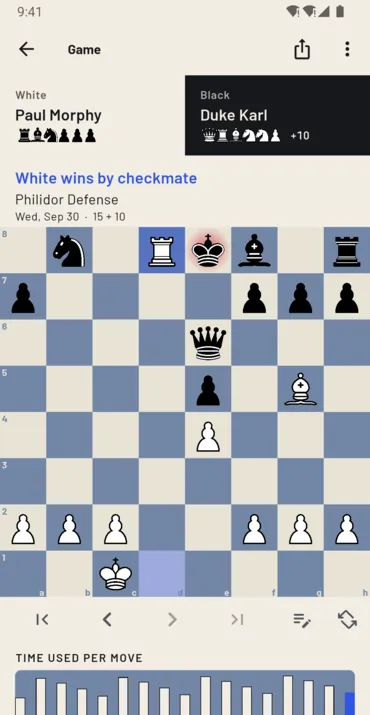
Afterwards, step through any game move by move, turn the board, and see a chart of the time each move took. Mark moves and add comments, share or copy the game as PGN with each move’s clock time in it, or open it on lichess for analysis. Every game exports as one PGN file, and games exported from lichess or chess.com import back in.
It pays you nothing. There are no coins in it, no balance and no cash-out, which is why it sits apart from the reward apps. It is free with nothing to buy, and carries a banner ad on the home screen, in history, in review and in Settings — never on the running clock or the scorepad, where a stray tap would cost a game. There is no account and no sign-in, and your games stay on the phone; what leaves it is the ad, anonymous analytics and crash reports, set out in its own privacy policy.
It has been on Google Play since October 2026, for Android phones and tablets, in English, Spanish, Portuguese, German, French, Russian, Turkish, Polish, Indonesian and Italian. The iPhone and iPad version is not in the App Store yet, and this page will carry that button the day the listing goes live, not before.
Screenshots
How to use it
- Pick a time control, or make your own, and choose clock only, clock and scoresheet, or scoresheet only.
- Put the phone between the two players and press Start game.
- Tap your side after each move, or, with the scoresheet on, make the move on the board and the clock presses itself.
- When the game ends, open it from history to review it, comment on it, or share it as PGN.
Features
- 15 ready time controls, from 1-minute bullet to FIDE classical
- Fischer increment, Bronstein and US delay, each timed exactly
- Multi-stage controls, a handicap, and 12 saved controls of your own
- Low-time warnings, a red face when a flag falls, and pause or take back a mis-press
- A sideways table layout, with each face turned to its player
- A scoresheet that only takes legal moves and presses the clock
- Captured pieces, the material lead and the opening named as you play
- Review move by move, with a chart of the time each move took
- PGN share, copy, export and import, and Open on lichess
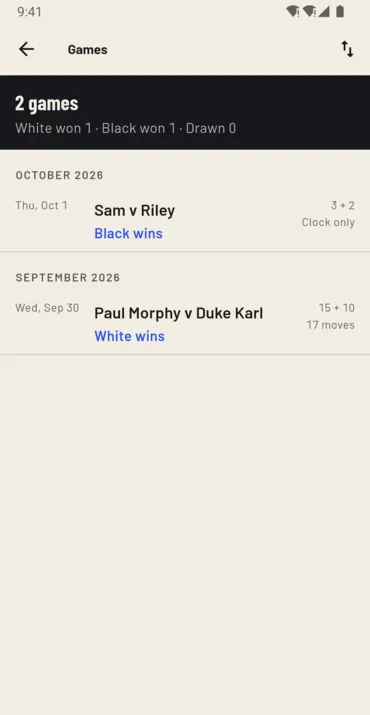
- History by month, with a head-to-head record for two named players
- Four board themes, sounds and vibration, large text and screen readers
- No account and no sign-in; your games stay on the phone
Frequently asked questions
Is it on iPhone?
Not yet. It is on Google Play for Android phones and tablets. This page will carry the App Store button the day the iPhone and iPad listing goes live, and not before.
Does this app pay me anything?
No. It has no coins, no balance and no cash-out. The apps we publish that pay are on our apps page.
Is it free?
Yes, with nothing to buy. It carries a banner ad on the home screen, in history, in review and in Settings, and never on the running clock or the scorepad.
Can it record the game for me?
Yes. With the scoresheet on, you make each move on the board instead of writing it down, and the clock presses itself. The game is saved as PGN, with each move’s clock time, ready to share, export or open on lichess.
Do I need an account?
No. There is no account and no sign-in of any kind. Your games are kept on the phone, and leave it only when you share or export one.
What does it collect?
The ad, anonymous analytics and crash reports, and never a player’s name, a move or a note. The privacy policy has the details, and Delete my data erases everything on the phone.
Everything else we publish
 Daily: Learn and EarnEducation
 Step and EarnHealth & Fitness
 Play and EarnGames
 Todo and EarnProductivity
 Taco Rain: Catch the TacosCasual
 Peel FrenzyCasual
 Asteroid DuelAction
 Pie Cannon: Carnival ShootoutCasual
 Ship It: Build an App StudioSimulation
 Bramble KnightPlatformer
 BroadsideArcade
 Acorn TrailPuzzle
 Wobble WheelieArcade
 Tilt DuoArcade
 HoverlineRacing
 Mix a BeastCasual
 Sizzle SwapCasual
 Community Stress First AidHealth & Fitness
 Apps That PayFinance
 Stitch Keeper: Row CounterLifestyle
 Handyman CalcTools
 Card Lab: Trading Card MakerEntertainment
 Practice Proof: Practice LogMusic & Audio
 Househand: Home MaintenanceHouse & Home
 Initiative Tracker: DM ToolsEntertainment