About Househand: Home Maintenance
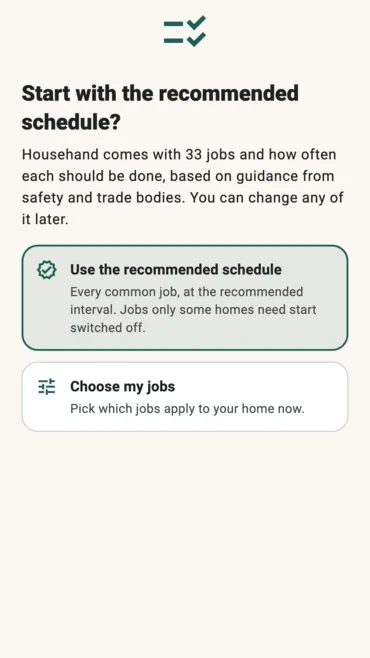
Househand starts with 33 common home maintenance jobs and how often each one should be done. Every interval names the safety body, trade group or manufacturer behind it, so “every six months” for the gutters comes with who said so. Switch off the jobs your home does not have, change any interval, or add your own. Seasonal jobs land in the right month: the AC before summer, the furnace in the fall.
Tick a job off when you do it, today or on another day, and Househand works out when it is due again. The home screen puts what is overdue, what is due soon and what is coming up in one list, and one reminder arrives on the morning a job falls due, if you turn reminders on. Every date you did a job is kept, with an optional cost, a note and a photo, and the history and costs export as CSV, Excel or PDF, for taxes or for the day you sell.
Home systems is the part most trackers leave out. Add the year your water heater, furnace, roof or AC went in, and it shows how that compares with the typical life of each one, so you can start budgeting for a replacement before it fails.
It pays you nothing. There are no coins in it, no balance and no cash-out, which is why it sits apart from the reward apps. It is free with nothing to buy, and carries one banner ad at the foot of the home screen. Unlike Community Stress First Aid, it does send things: the ad, which can be personalized, anonymous analytics and crash reports. Its own privacy policy sets all of it out.
No account is needed, and without one your home’s record never leaves the phone. Signing in with Google is optional and does one thing: it keeps the same house on your phone, your tablet and the Househand web app, which runs in a browser. Photos never sync; they stay on the device that took them. The same schedule is on the Househand website as a free printable checklist, by month and by season.
It is on Google Play now, for Android phones and tablets. The iPhone and iPad version is finished and waiting on Apple, and this page will carry the App Store button the day that listing goes live, not before. It is in English, Spanish, French and German.
Screenshots
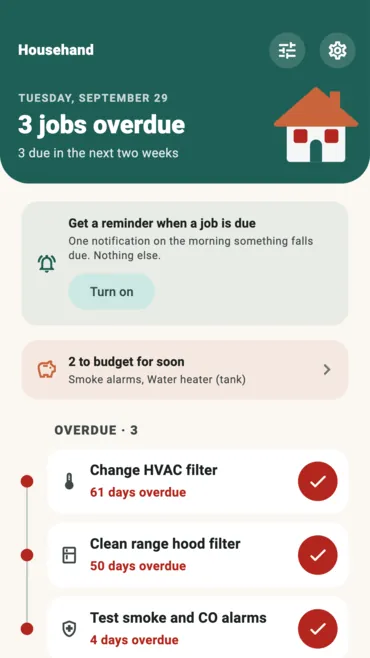
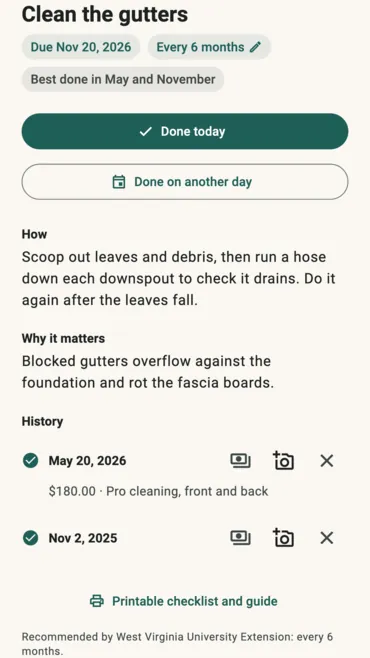
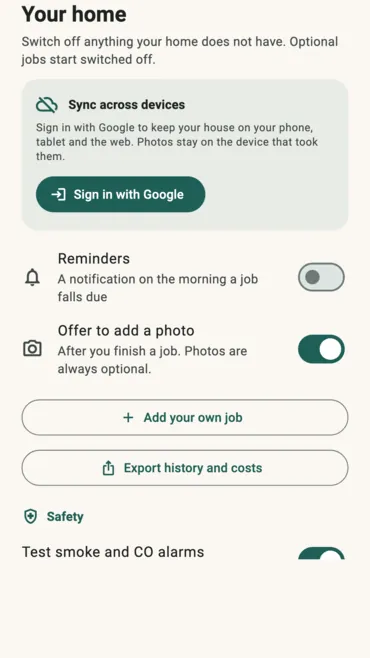
How to use it
- Start with the recommended schedule, or pick which jobs apply to your home.
- Check the home screen for what is overdue and what is due soon.
- Do a job and tap Done today, or Done on another day if you did it earlier.
- Add a cost, a note or a photo to that entry if you want a record.
- Turn on reminders to hear about the next one on the morning it is due.
Features
- 33 common home maintenance jobs, each with how to do it and why
- An interval for every job, with the source behind it
- Change any interval, or add jobs of your own
- Overdue, due soon and coming up, in one list
- Seasonal jobs in the right month
- A history of every date, with an optional cost, note and photo
- Home systems: install year against typical life, to budget ahead
- Export history and costs as CSV, Excel or PDF
- One reminder on the morning a job falls due, if you want it
- Optional Google sign-in to sync with a tablet and the web app
- English, Spanish, French and German
Frequently asked questions
Is it on iPhone?
Not yet. The iPhone and iPad version is finished and waiting on Apple. This page will carry the App Store button the day that listing goes live, and not before. Until then, the web app works in Safari.
Does this app pay me anything?
No. It has no coins, no balance and no cash-out. The apps we publish that pay are on our apps page.
Is it free?
Yes, with nothing to buy. It carries one banner ad at the foot of the home screen, and none on a job’s own page.
Do I need an account?
No. Everything works on the phone without one, and without one your home’s record never leaves it. Sign in with Google only if you want the same house on another device or in the web app. Photos stay on the device that took them either way.
Where do the intervals come from?
Each job names the body behind its interval: a safety organization, a trade group, a university extension service or the manufacturer. They are general guidance, and your own manufacturer’s instructions come first.
Can I print the schedule?
Yes. The Househand website has the same schedule as a free printable checklist, by month and by season, and the app links to it from each job.
What does it collect?
Without an account, the ad, anonymous analytics and crash reports, and nothing about your home. With one, a copy of your household record, without photos, is kept so your other devices can read it. The privacy policy has the details, and Delete my data removes it.
Everything else we publish
 Daily: Learn and EarnEducation
 Step and EarnHealth & Fitness
 Play and EarnGames
 Todo and EarnProductivity
 Taco Rain: Catch the TacosCasual
 Peel FrenzyCasual
 Asteroid DuelAction
 Pie Cannon: Carnival ShootoutCasual
 Ship It: Build an App StudioSimulation
 Bramble KnightPlatformer
 BroadsideArcade
 Acorn TrailPuzzle
 Wobble WheelieArcade
 Tilt DuoArcade
 HoverlineRacing
 Mix a BeastCasual
 Sizzle SwapCasual
 Community Stress First AidHealth & Fitness
 Apps That PayFinance
 Stitch Keeper: Row CounterLifestyle
 Handyman CalcTools
 Card Lab: Trading Card MakerEntertainment